Amazon knows what you bought. That list includes the gift for your father-in-law and the textbook you resented, and it says nothing about the two thrillers you gave up on in March.
How to get book recommendations from an AI agent that knows what you read
Store recommendations run on what you paid for. Your own agent can run on what you finished, what you underlined, and the book that's been waiting on your want-to-read shelf since July.
Fasrad · September 16, 2026 · 4 min read
An agent you own can know the rest. Sync your Kindle library and highlights, import your Goodreads shelves, and "what should I read next?" starts coming back with books you haven't read and a reason attached to one you loved. Setup runs about 10 minutes with a Fasrad agent and the free Scanner extension.
Why the storefront always misses
Amazon recommends what sells next to what you bought. Goodreads recommends what its crowd rated highly. Neither one knows you quit two of your last five thrillers, or that you underlined thirty passages of one finance book and nothing at all in the next.
The difference isn't a smarter model. It's a model that has your reading in front of it when you ask.
Install the Scanner extension
The Fasrad Scanner is a browser extension that bridges the sites holding your reading history and your agent. It runs in Chrome and Firefox, and in Edge. Install it, sign in with your Fasrad account, and pick the agent it should feed.
That's the whole setup for this part.
Pull the Kindle library across
Open the Kindle cloud reader at read.amazon.com while you're signed in to Amazon, click the Scanner icon, and open the Kindle tab. One click on Sync from Amazon pulls two things at once: every book you own, and every highlight you've made in any of them. A moderately used account comes back with something like 212 books and 1,304 highlights.
The sync itself takes under 60 seconds.
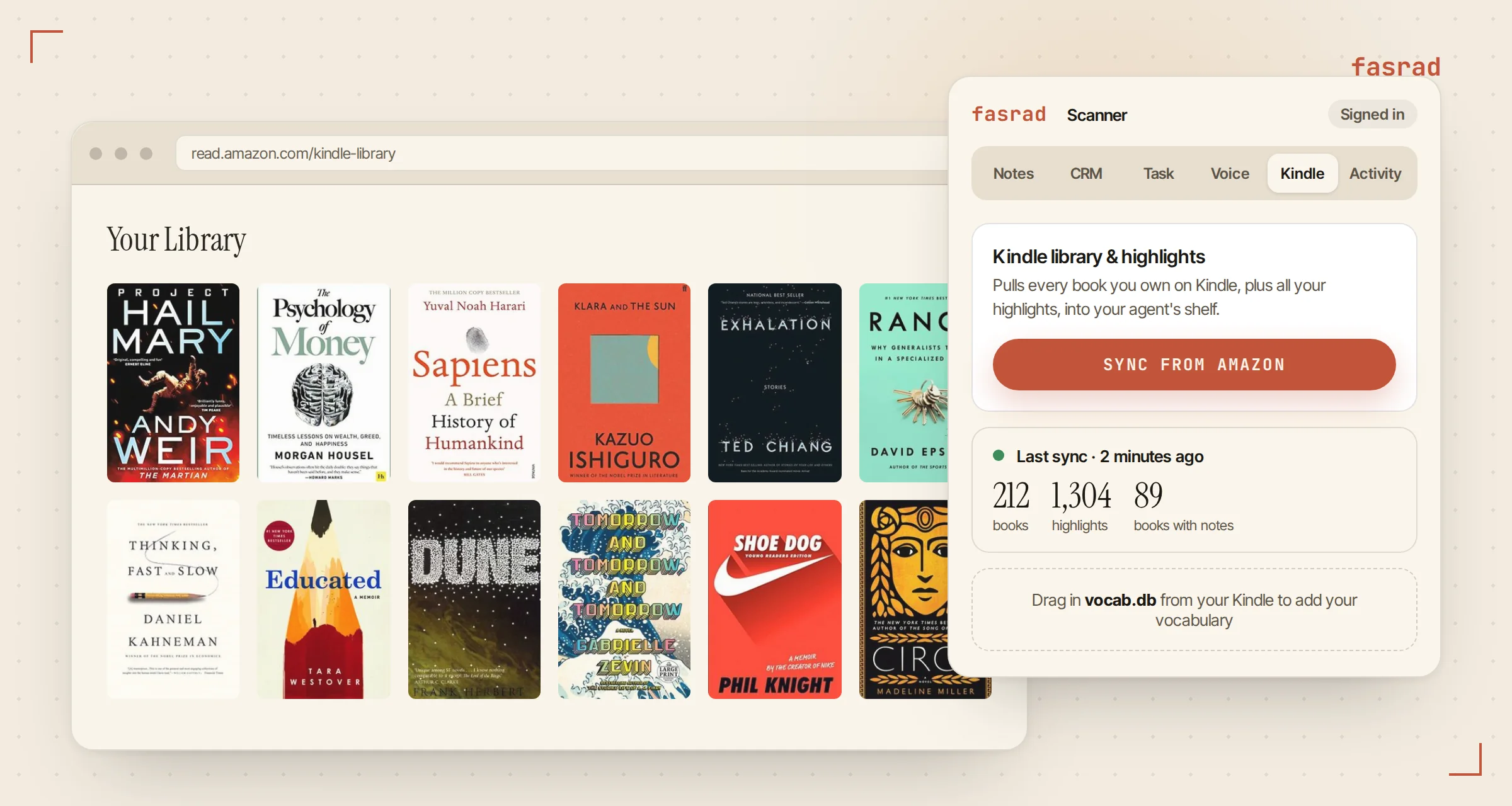
Each book gets filed with its cover and author, under the subjects it belongs to. The highlights go into a notebook per book, the same notes that make the agent a second brain for everything else you clip. If you use Kindle's Vocabulary Builder, drag the vocab.db file off the device into the same tab and the words you looked up come along too. Those turn up again at the end of this article.
Goodreads holds the list that actually matters
Most readers keep a want-to-read shelf on Goodreads and nowhere else. It's the most useful thing a recommender can have, because it records intent instead of purchase. Nobody buys a book to signal they want to read it. They add it to a list and forget about it for a year.
Open any page on goodreads.com, click the Scanner icon, and go to the Task tab. You'll see Import Goodreads shelf with a picker for Read and Want to Read, plus Currently Reading and anything custom you've built. A 63-book want-to-read shelf imports in one pass.
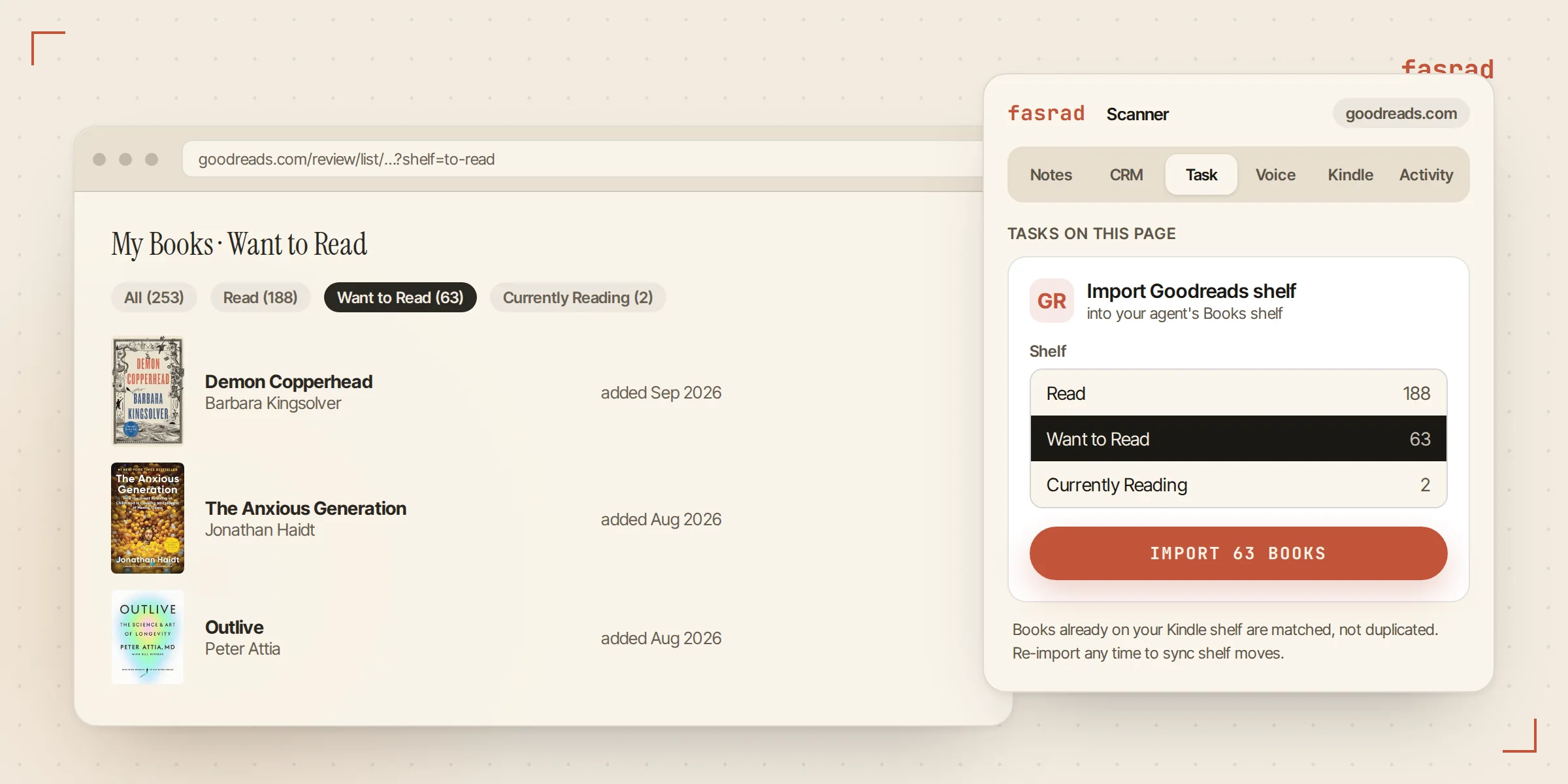
Import both. A title already on your Kindle shelf is matched by ISBN or by name rather than copied, and a Kindle book that Goodreads says you never finished stays marked unread. Your ratings and read dates come across as well. Re-run the import whenever you shuffle books between shelves.
Now ask it what to read next
Open your agent in the web app or on Telegram. Four prompts that earn their keep:
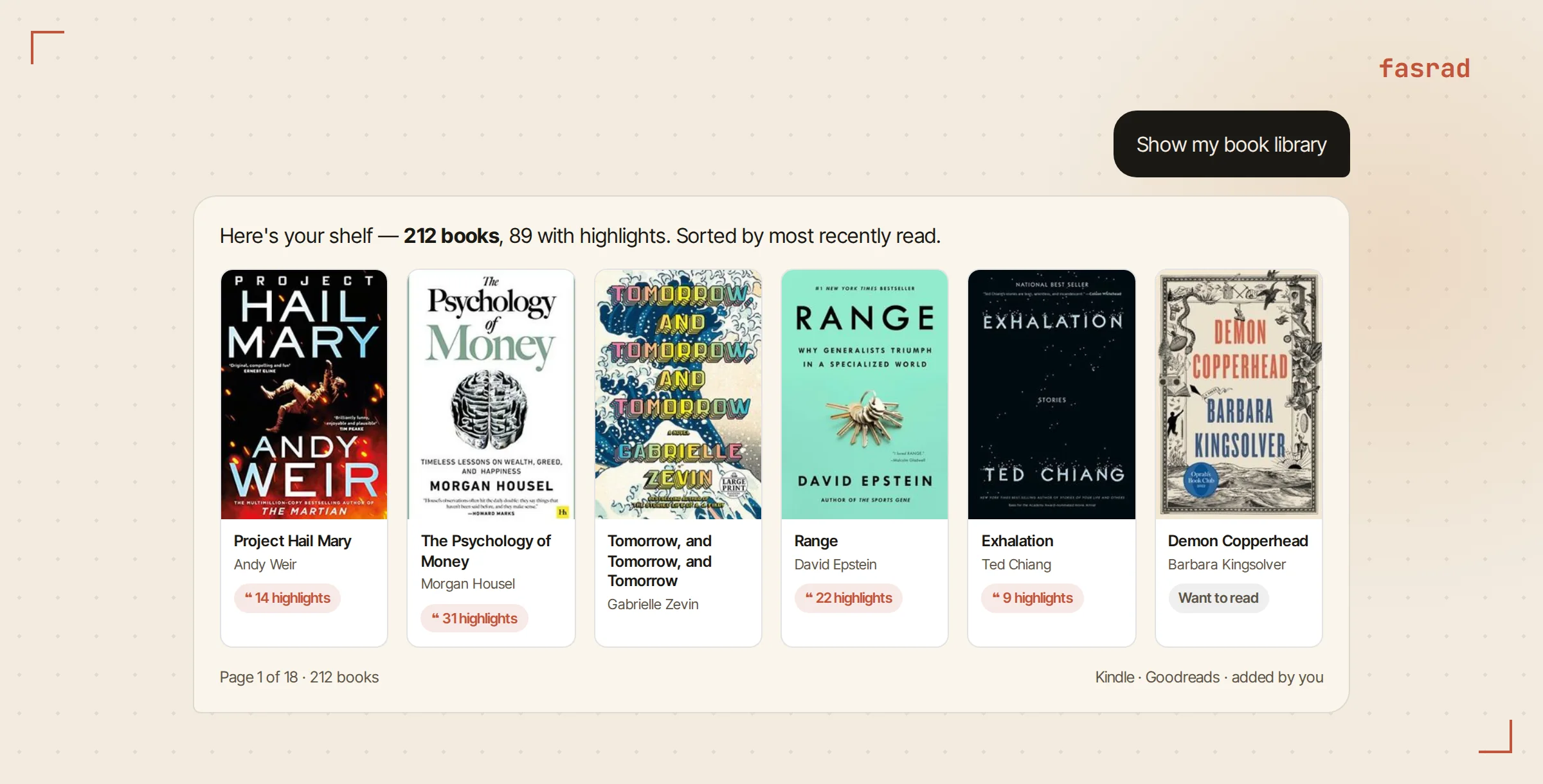
- "Show my book library" renders the shelf as cover cards. Books with highlights carry a count, and clicking one opens them in a reader.
- "Have I read anything by Madeline Miller?" checks the shelf instead of guessing.
- "Which books about habits have I read?" searches subjects and descriptions, and the text of your highlights.
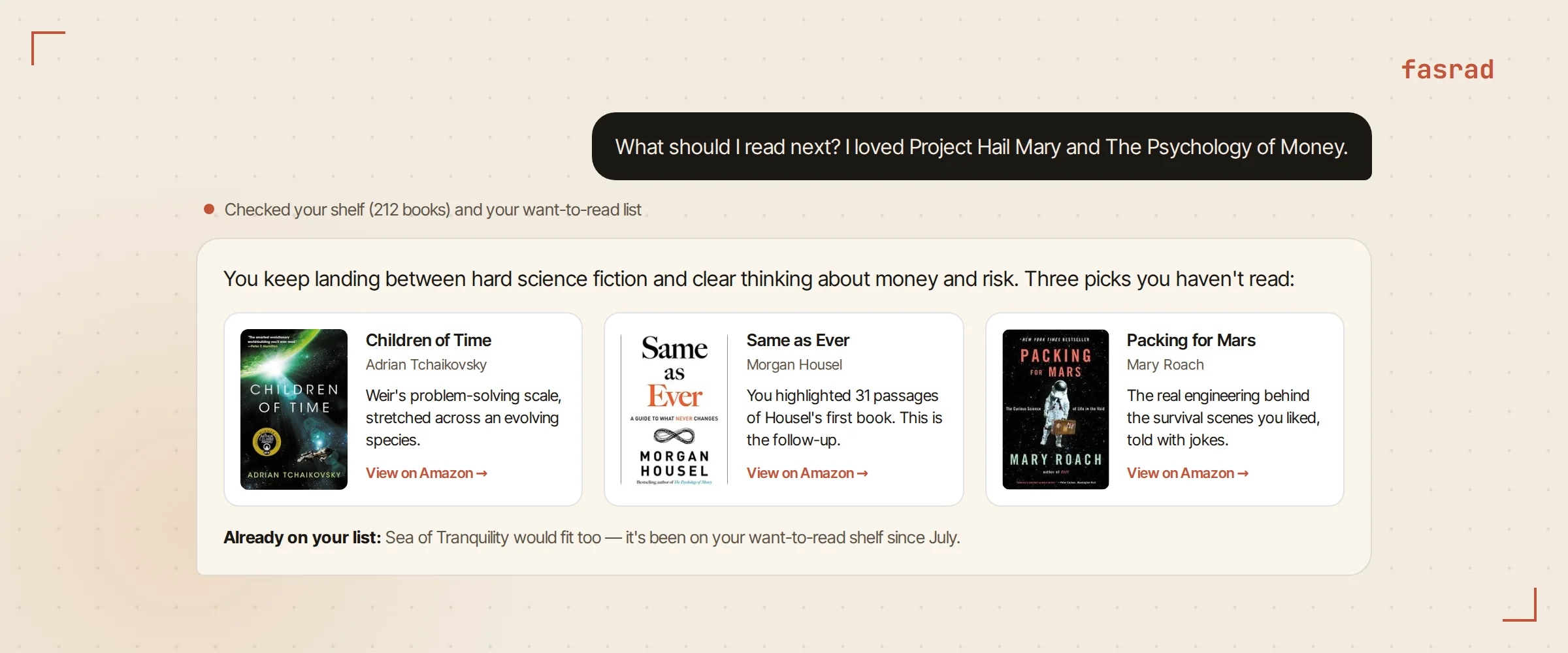
- "What should I read next? I loved Project Hail Mary and The Psychology of Money." is the one you came for.
For that last one the agent reads your shelf and your highlights, and the want-to-read list underneath, before it answers a word. Anything you've finished is excluded. Each pick gets one line that explains itself by pointing back at a book of yours, and every title links to Amazon. A suggestion already sitting on your Goodreads list is flagged as yours rather than presented as a find.
Steer it the way you'd steer a friend who works in a bookshop. Something shorter. Nonfiction only. More of the science and less of the jokes. What story do my highlights of Range tell? It keeps your answers, so next week's round starts where this one stopped.
Make it bring you books unprompted
A recommendation you have to ask for is half a feature. Your agent is also a personal assistant with a morning briefing and a scheduler, so three things are worth saying once, in plain English:
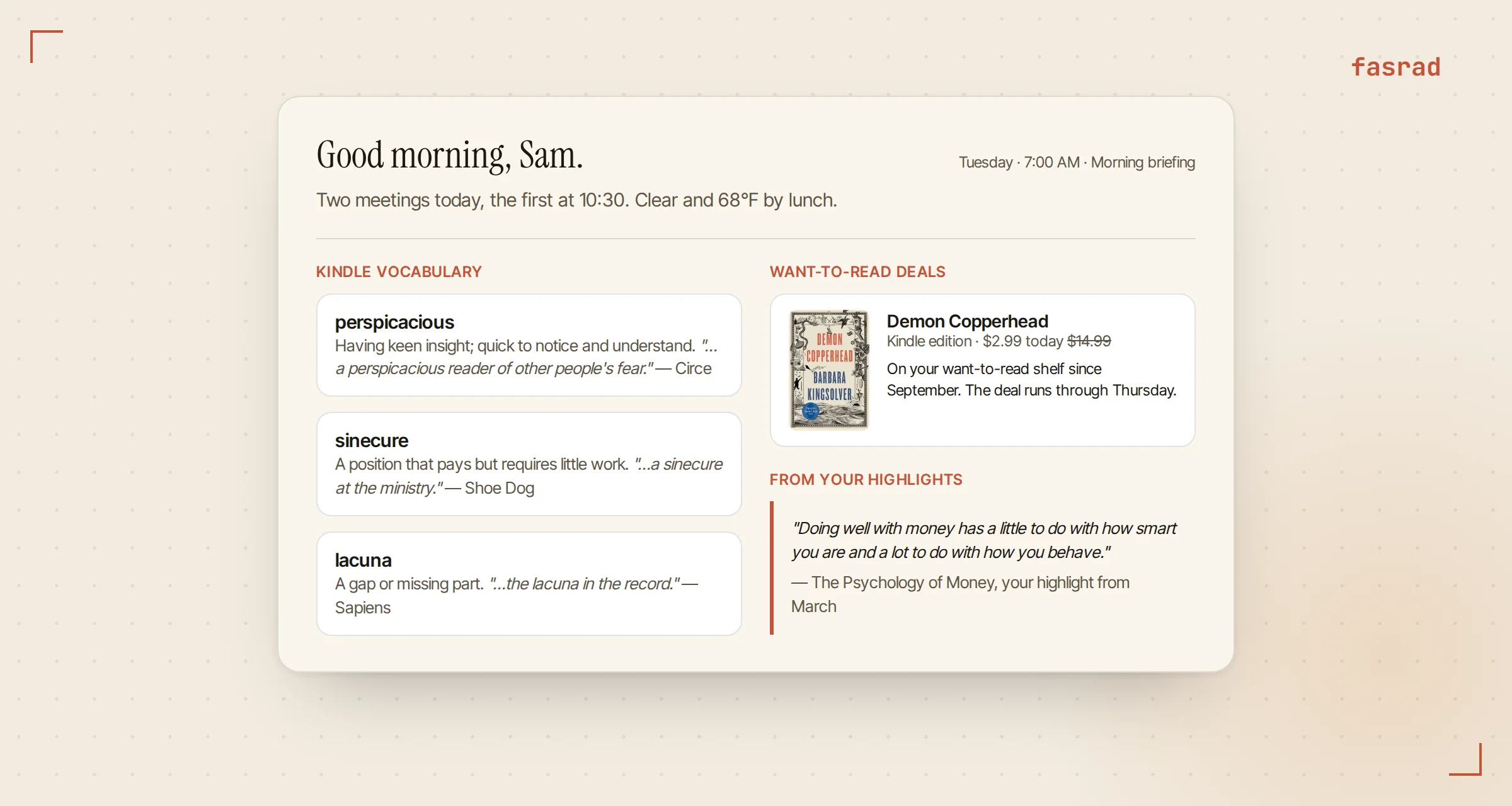
- Vocabulary in the briefing. "Include 3 random words from my Kindle vocabulary in my daily briefing, with a short definition and the sentence I found them in."
- Deals on the want-to-read shelf. "Every Friday, check Amazon for price drops on my want-to-read list and tell me if anything is under $5." That one becomes a scheduled task.
- A line from your own margins. "Open my briefing with one highlight from a book I read this year."
What it sees, and what it doesn't
The Scanner sends only what you sync or import: your Kindle library, your highlights, the Goodreads shelves you picked. It can also keep a private record of pages you read online, so your agent knows what you've been into this week. Sensitive pages are dropped before anything is stored, and a Forget browsing history button clears the rest.
Your agent has your shelf. Amazon and Goodreads don't have your agent.
Frequently asked questions
Do I need a Kindle to use this?
No. You can import Goodreads shelves alone, or tell your agent about books you have read in chat ("I just finished Circe") and it adds them to the shelf. Kindle sync adds the highlights and the owned-library data automatically.
Does the agent recommend books I already own or have read?
No. Recommendations exclude everything on your read shelf. If a suggestion is already on your Goodreads want-to-read list, the agent tells you it is on your list rather than presenting it as new.
What happens to my highlights?
Each book gets its own notebook of highlights in your agent's Notes, with the Kindle location. You can ask questions across them ("what story do my highlights of Sapiens tell?"), have one appear in your morning briefing, or open them from the book card in chat.
Can I use it on my phone?
Yes. The sync and import steps run in a desktop browser through the Scanner extension. Asking for recommendations works anywhere your agent does: the web app or your agent's private Telegram bot.
Is my browsing history sent to Amazon or Goodreads?
No. The Scanner reads your data from those sites into your own Fasrad account. Nothing goes the other way. Sensitive pages are filtered out before storage, and you can clear the history from the extension at any time.