The phone rings while both rooms are busy, and nobody picks it up.
How to let an AI agent book appointments on your site
A live booking grid in the greeting, slots checked against your real calendar the moment somebody taps one, and the visitor saved as a contact before you finish the appointment you're already in.
Fasrad · September 21, 2026 · 4 min read
That was Bea's studio on a normal Tuesday: 3 rooms in Boise, 2 therapists, one phone, and a front desk that emptied whenever the work was going well. A Fasrad public agent now takes those calls as bookings on the site. It shows a live calendar in its greeting, checks each slot against her real calendar at the moment someone taps it, and creates the appointment with the visitor's name and number attached. She pasted one line of code into her template and set her hours in the agent's settings.
What a visitor sees before typing anything
The booking calendar sits inside the greeting, above the message box, so it's the first thing on the page. A week at a time, each day a column of slots, taken times already grayed out.
No question has to be asked. No model has to answer before those times appear.
Availability comes from two places at once. The hours Bea set are one of them. Her actual calendar is the other, so a slot overlapping something already in it gets filtered out before the grid renders at all. The grid also refreshes itself every 60 seconds. Two people looking at Thursday don't both see the same opening for long.
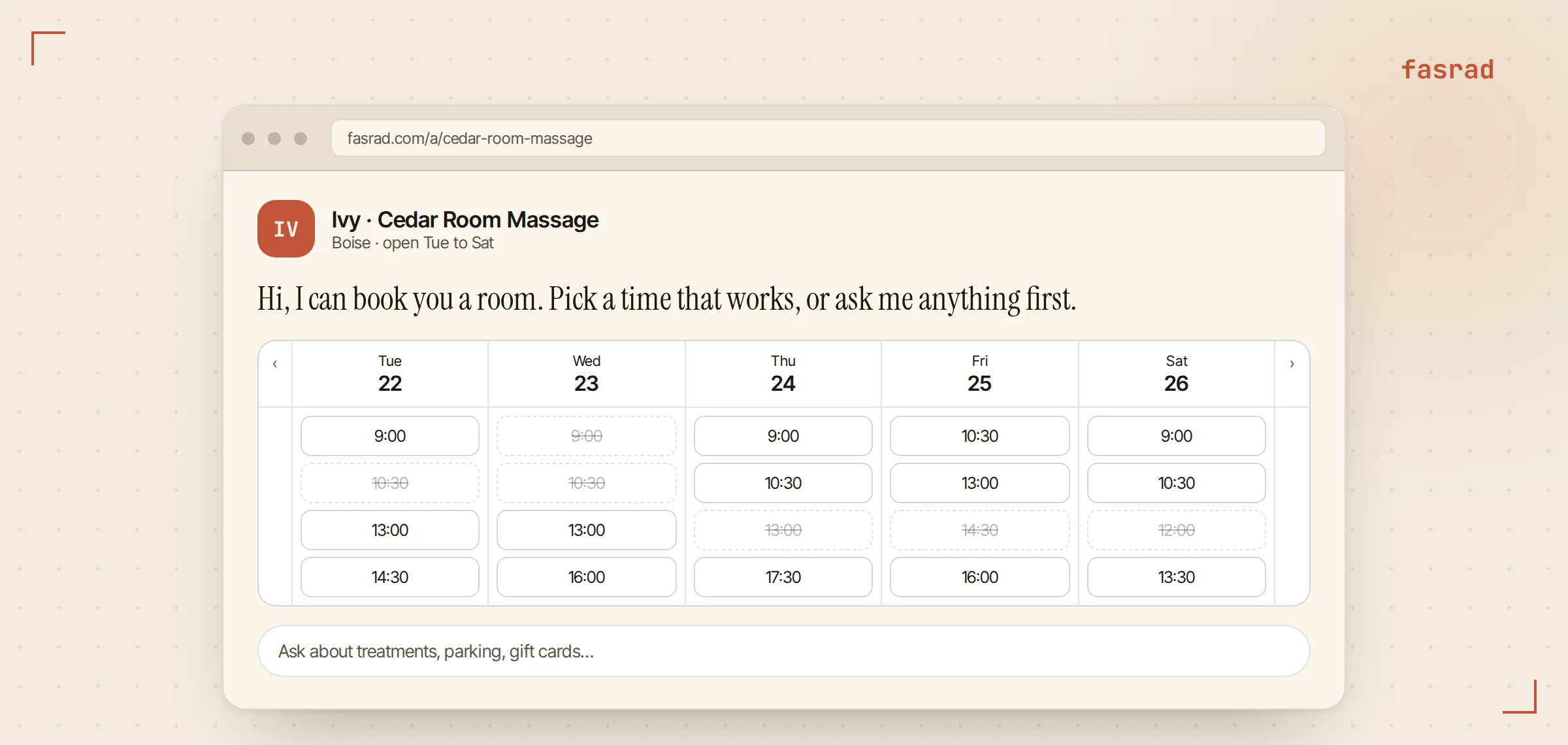
The week shown first is the next one with open days in it. Close on Sundays and nobody lands on an empty Sunday. Small thing, and it removes a dead end.
From a tap to a booking
Tapping a slot doesn't book it yet. The page asks the server whether that exact slot is still free right then. That catches the case where somebody took it two minutes ago while the grid was still showing it open. If it's gone, the grid refreshes and says so.
If it's free, a short form slides over the grid asking for whatever Bea chose to collect. Name always, phone required, email optional. She set that in the settings and took the email field out entirely for walk-in bookings.
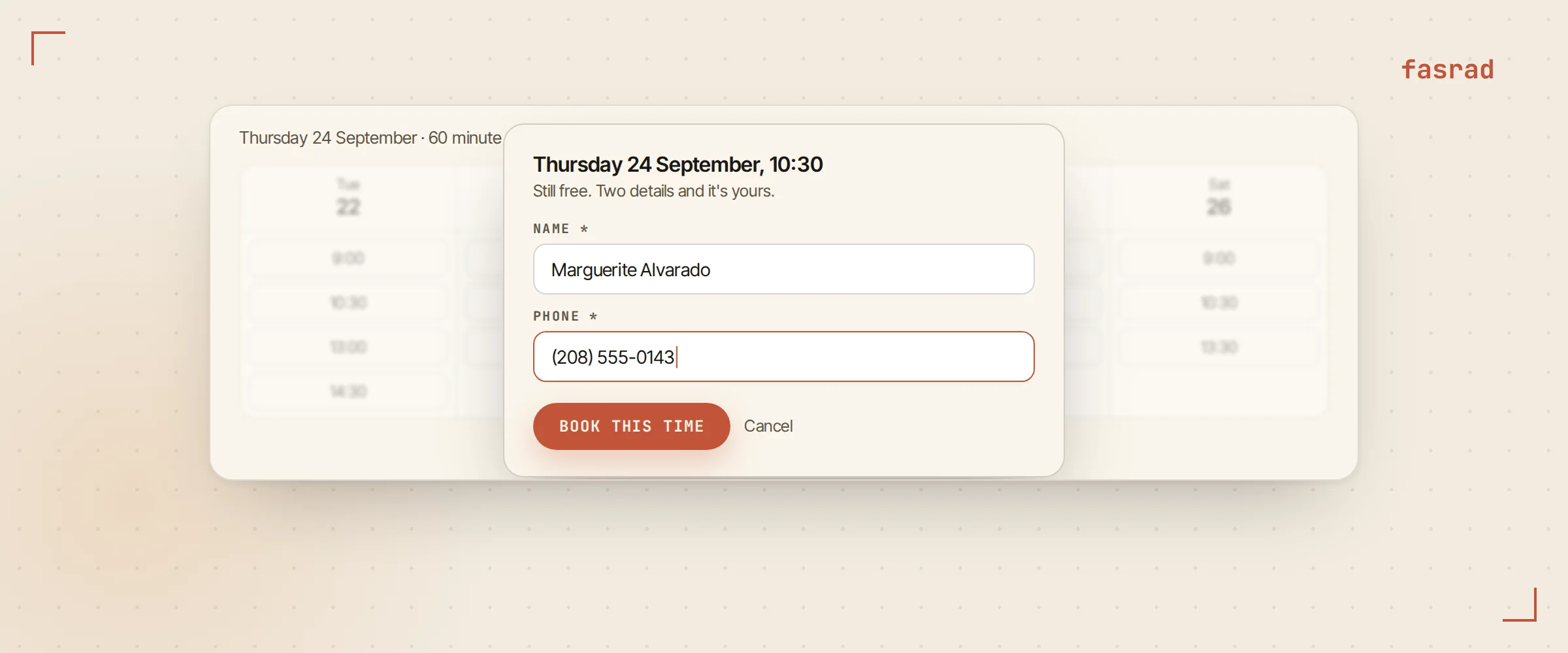
Submitting creates the appointment on her calendar, titled with the visitor's name and carrying the phone number in the description. The chat then carries on with the booking already done, so the agent answers the follow-up question about parking instead of taking an order.
Bea does nothing during any of this. The appointment is on her calendar before she next looks at her phone, and it blocks that slot for everyone else who opens the page. A double booking would have to beat the server check by a second.
Setting your week
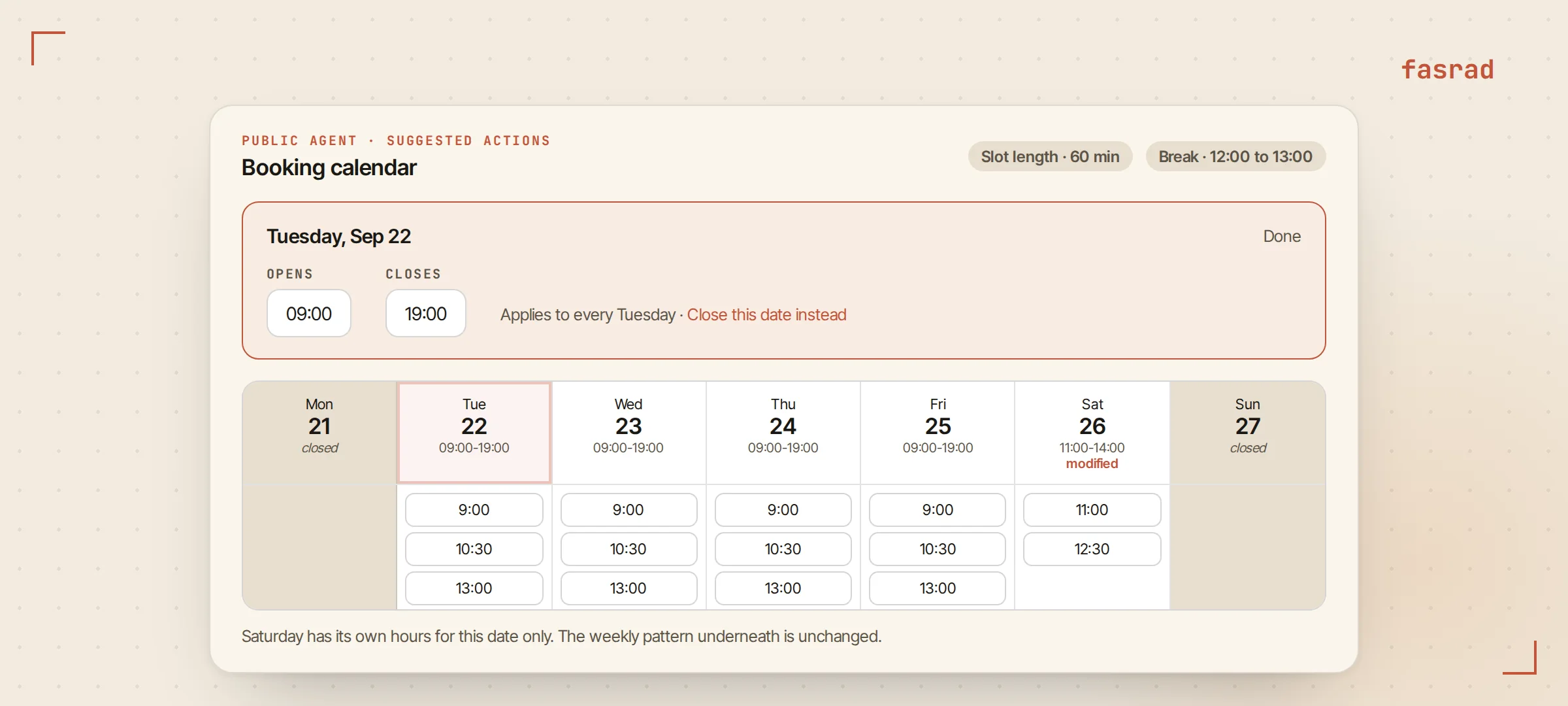
The same calendar component runs in the agent's settings in an editing mode. Click a day header to set that day's hours. Monday closed. Tuesday through Friday 9 to 7, Saturday 9 to 2.
Slot length is yours to pick.
A massage therapy booking bot wants 60 or 90 minute slots where a barbershop wants 20. Breaks apply across the week.
Bea blocks 12 to 1, so nobody books a therapist through lunch. The language of the widget is a setting too. That matters when a shop's customers and its owner don't read the same one.
Changes take effect on the next page load. There's no publish step and no second copy of your schedule to keep in agreement with the first.
Closed Mondays and the week of the trade show
Holidays and odd weeks are date overrides rather than edits to the weekly pattern. A date marked closed drops off the grid. A date given its own hours replaces the usual ones for that date only, which is how Bea handles the Saturday she opens late after an early class.
The weekly hours underneath stay untouched, so nothing has to be put back afterwards. This is the part that stops a day spa booking bot from quietly taking bookings on the one day of the year you're closed.
Putting it on your site
The settings page hands you a script tag with your agent's slug in it. One line. Paste it into your template and the agent appears as a launcher on every page that includes it.
The public page keeps working on its own address, and that's the one to put in a profile, an ad or a printed card. Both routes talk to the same agent, the same calendar and the same hours, so a booking made from Instagram and one made from your homepage are the same booking to you.
What a visitor is allowed to touch
Public agents run on a default-deny tool policy. Whatever your agent does for you privately, the visitor-facing version starts with nothing at all, and calendar access is the only thing you can switch on. It has 3 levels: free and busy only, seeing events, or seeing and creating them. A booking page needs the third.
Visitors get no access to your notes, your files or your datastores under any setting at all. Everything else your agent does for you stays on your side of the page. That boundary is the reason a public agent is safe to paste onto a homepage.
What shows up on your side
With lead capture on, the person who booked is saved as a contact in a Leads group in your CRM, and a message reaches you the moment it happens with their name and phone and where they came from. Bea reads hers on Telegram between clients.
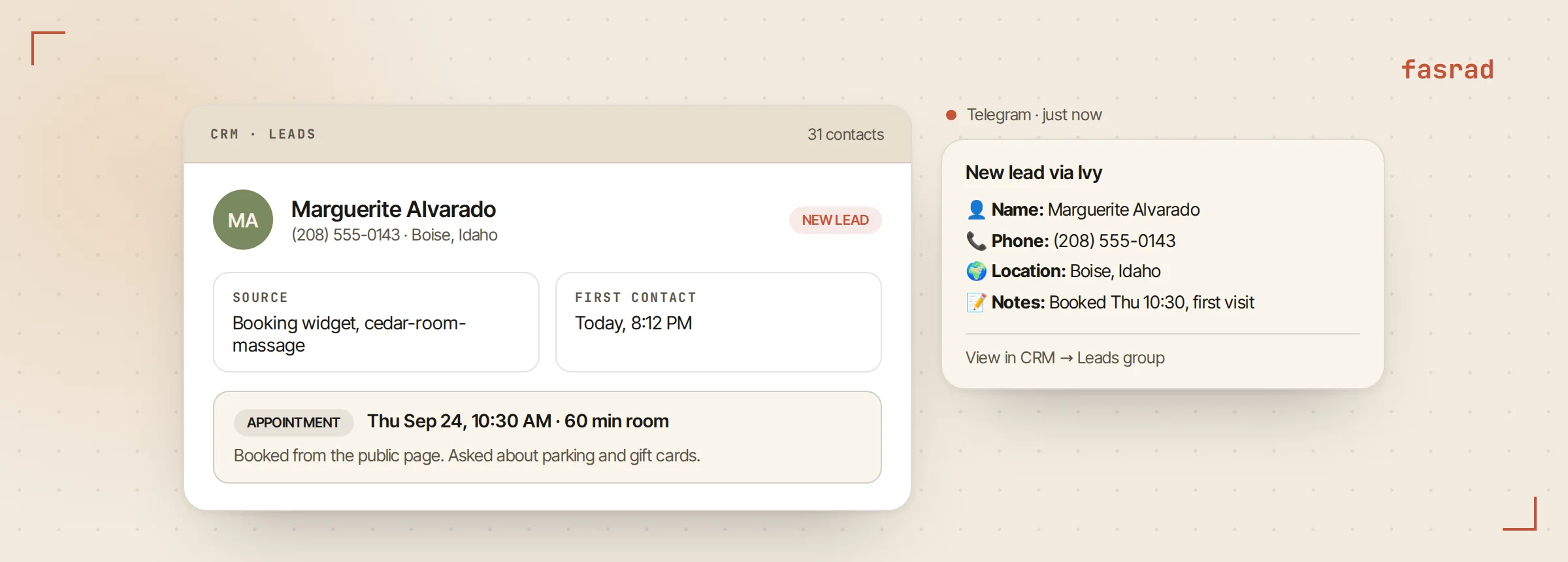
A captured lead is also an event other work can hang off, so an agent can send the confirmation text, add the person to a follow-up list, or check in a week later. A lead capture bot and a booking page are the same machine wearing different hats.
Frequently asked questions
Does the visitor have to chat before seeing available times?
No. The booking calendar renders inside the greeting, before any message is sent. Slots come from a cached availability endpoint, so times appear as fast as the page does.
What stops two people booking the same slot?
Tapping a slot triggers a fresh check against your calendar, and the booking itself is checked again on the server before the event is created. If the slot went in the meantime, the visitor is told and the grid refreshes.
Which details are collected?
Whichever you choose: name, phone and email are the available fields, and each can be required or optional. The form only shows the ones you kept, and it pre-fills anything the visitor already told the agent earlier in the conversation.
Where does the appointment end up?
On the Google Calendar you picked for bookings, titled with the visitor's name, with their phone and email in the description. Anything already on that calendar blocks the matching slots, including events you create by hand.
How do I close for a holiday?
Add a date override marking that day closed. It disappears from the grid without touching your weekly hours, and a date can also be given custom hours for one day only.
Can a visitor make my agent do anything else?
No. Public agents start with no tools at all and only calendar access can be enabled, at one of three levels. Notes, files, datastores and mail stay unavailable to visitors regardless of what your private agent can do.
How do I get the agent onto my website?
Copy the script tag from the public settings and paste it into your site template. The agent appears as a launcher on every page that includes it, and the public page keeps working at its own address for links and ads.
Do I find out about a booking right away?
Yes. With lead capture on, the visitor is saved as a contact in a Leads group and you get a message with their name, phone and location, wherever you are reachable, including Telegram.