Late-fee reminders went live on our changelog on March 3. The first post about them went out on March 11, after a customer asked on LinkedIn whether we'd ever build them.
Ship once, post everywhere: how to use an AI agent to post to X and LinkedIn
One sentence sets up a watch on your changelog. Each new entry becomes an X post and a LinkedIn post with an image, waiting in your own browser for one tap.
Fasrad · October 12, 2026 · 4 min read
Now the changelog does the announcing. One sentence set up a page monitor on it, and every new entry ends with an X post and a LinkedIn post waiting for a single tap. Here's the sentence we typed:
"watch our what's-new page daily, and when it changes, post about the new feature on X as our company account and on LinkedIn as our page, with an image"
"Watch our what's-new page"
The monitor reads the page the way a logged-out visitor would. A public changelog is the ideal case. The agent takes a snapshot the moment you ask, and you find out on the spot whether the page is one a monitor can read, because a page behind a login gets turned down right there in the reply.
Our agent is called Rook. Its reply named the page, the cadence and the time of the first check, 24 hours out. It also said that each run would work in our browser and stop before publishing anything. That reply is the whole setup screen. The watch then shows up on the Work page under Schedules with an on/off toggle, and the page monitor guide covers watches that only report back.
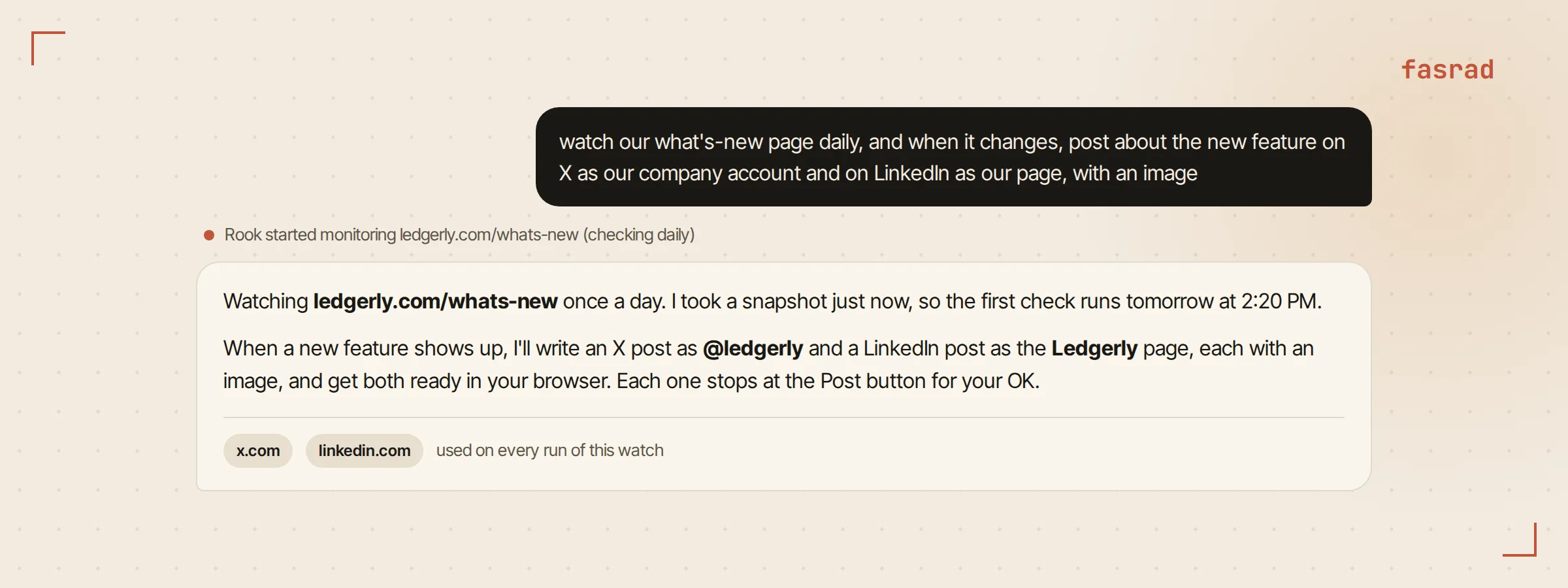
"Daily", and what counts as a change
Daily or weekly are the two cadences. Daily suits a changelog, since a feature that ships Tuesday should be on X by Wednesday at the latest.
Each check compares the new page against the last snapshot, and a model decides whether the difference is material. New releases and added features count. A "last updated" stamp ticking over doesn't, and neither does a rotating banner or a reshuffled footer. In our first 23 runs, 20 found nothing worth posting and ended without a message. Three found a real entry.
That ratio is the reason this works for us. A watch that pinged on every pixel would get switched off in a week. This one has stayed on, and a brand monitoring agent runs the same pattern on competitors' pricing pages.
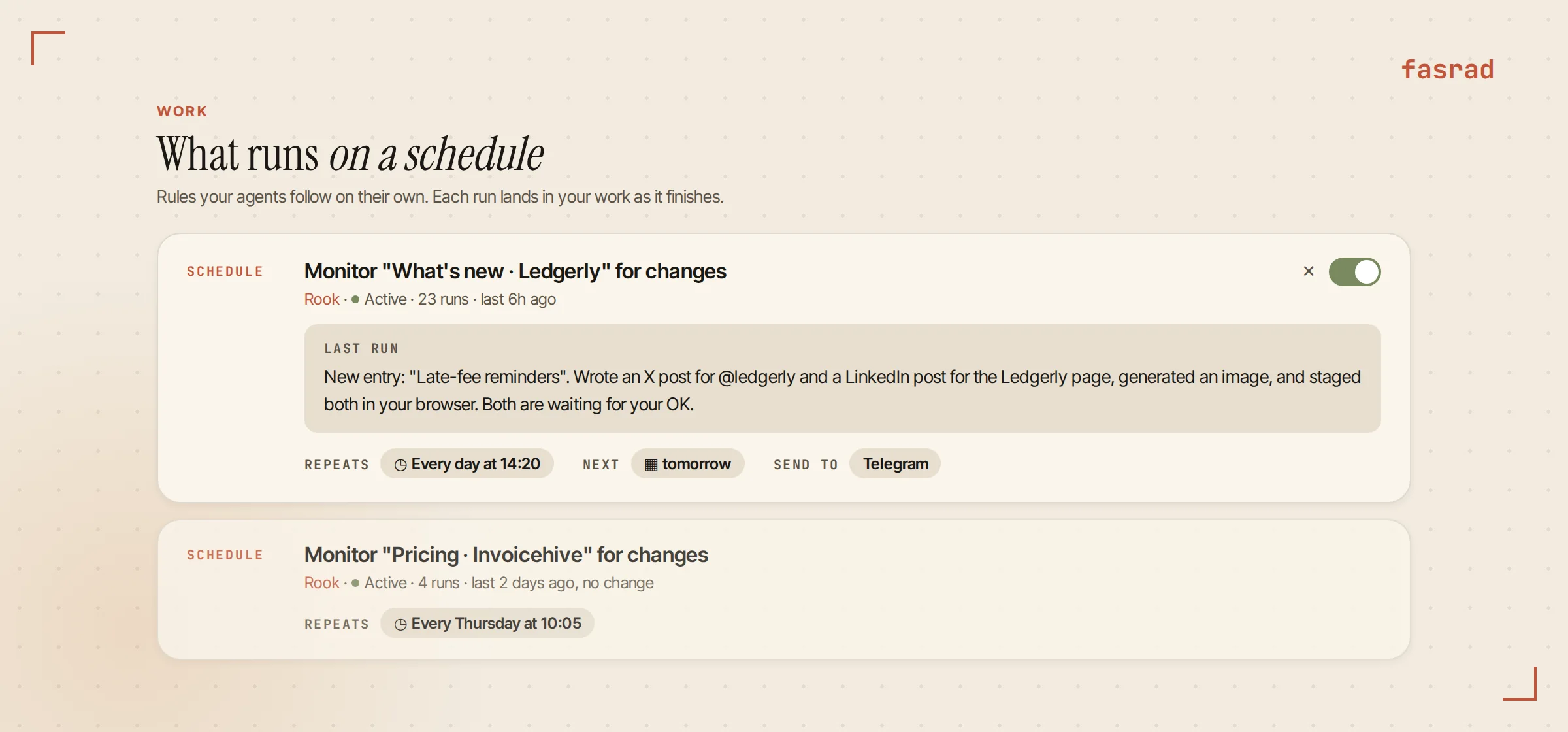
"When it changes, post about the new feature"
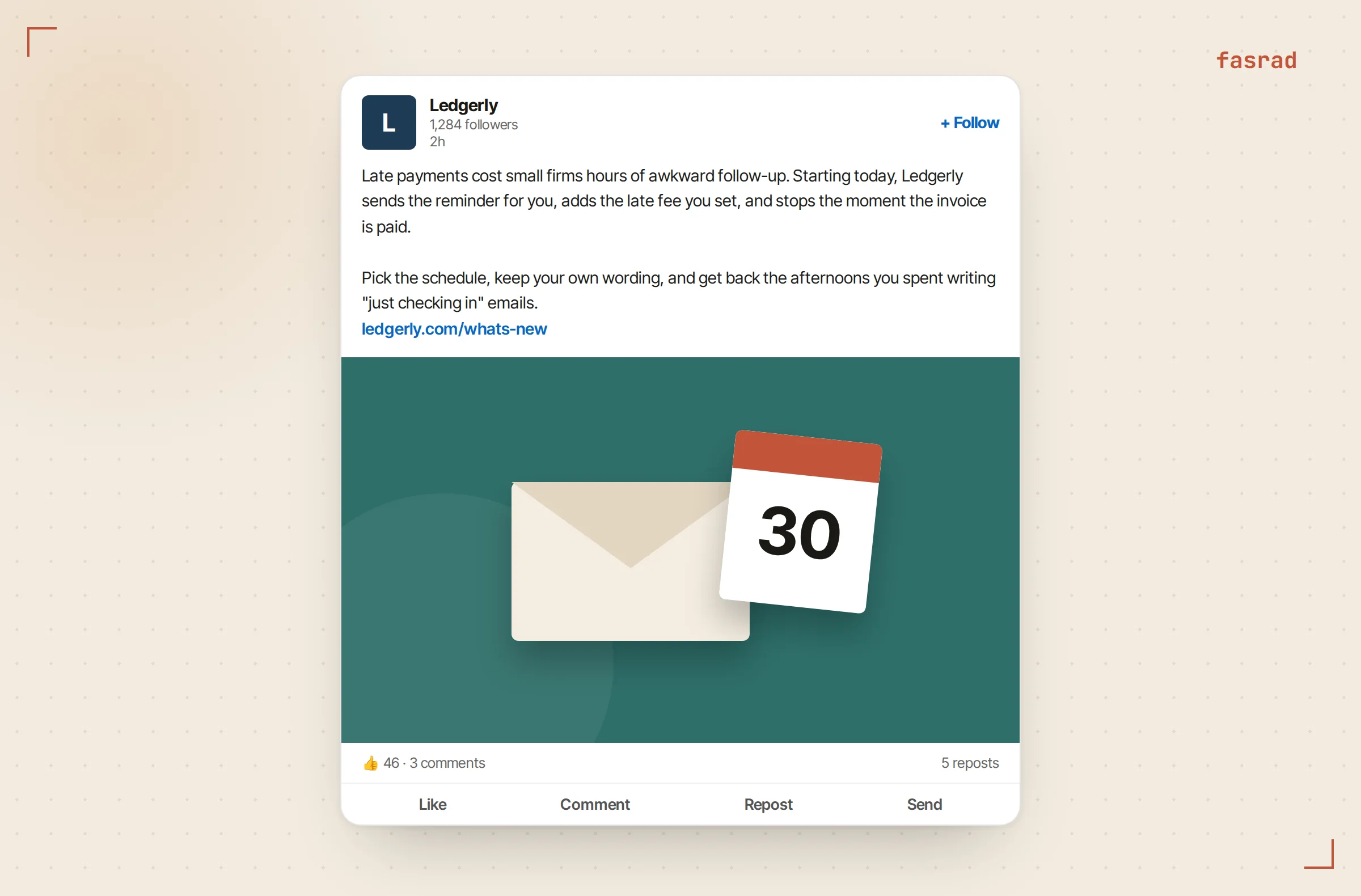
A material change goes to the agent as a background run with all of its tools. Nobody gets a "this page changed" ping. Rook reads the new entry, opens the page if the summary is thin, and writes two posts sized for their sites. The X version is two sentences and a link. The LinkedIn version runs to a short paragraph that names the problem the feature solves.
Our setup words travel with every run, and they outrank the agent's own paraphrase of them. "With an image" stays a requirement on run forty, not a suggestion it can drop. When an entry is a typo fix in an old note, the run ends quietly and you never hear about it.
Corrections stick to the watch. We said "no hashtags on LinkedIn" once, after the first post, and it was saved onto the monitor itself. Later corrections win over earlier wording.
"On X as our company account and on LinkedIn as our page"
The posting happens in our own browser, through the Scanner extension, with the logins we already have. Account Settings has a switch called "Let Rook use your browser" and it was off until we turned it on. The agent works in its own tab group, so it never touches the tabs we're using.
Asking for the watch is the permission. Because we named x.com and linkedin.com in our own message, the watch may use them on every run with no Allow button to tap. It switches to the company account on X, and to the page on LinkedIn, only because the sentence says so. Naming the accounts is the clause that matters most, and it's the one people leave out.
When a change lands at 2 AM with every laptop closed, the run waits. The Work page shows it as "Waiting for your browser". It starts once the browser has been connected for a full minute, and three missed days collapse into one run instead of three.
"With an image"
Rook generates a wide image, 1536 by 1024 pixels, for each feature and uploads it into both composers. On LinkedIn that means clicking through the media editor's Next step, a step Rook takes on its own because nothing gets published there until the final Post button, the only click in the whole run that waits for us. It checks that the picture actually shows in the preview before it asks us anything.
The images come out better when the changelog entry has a concrete noun in it. "Late-fee reminders" gave us an envelope with a calendar page. "Performance improvements" would give you a rocket, and nobody wants the rocket.
A content agent uses the same image step for blog headers and newsletter art.
The tap
Everything stops one click short of publishing. We get one message, on Telegram for us, with a screenshot of each prepared post and the text read back out of the composers. Under it sit four buttons: Post both, Post on X, Post on LinkedIn, and Cancel.
Post both is the one we hit almost every time.
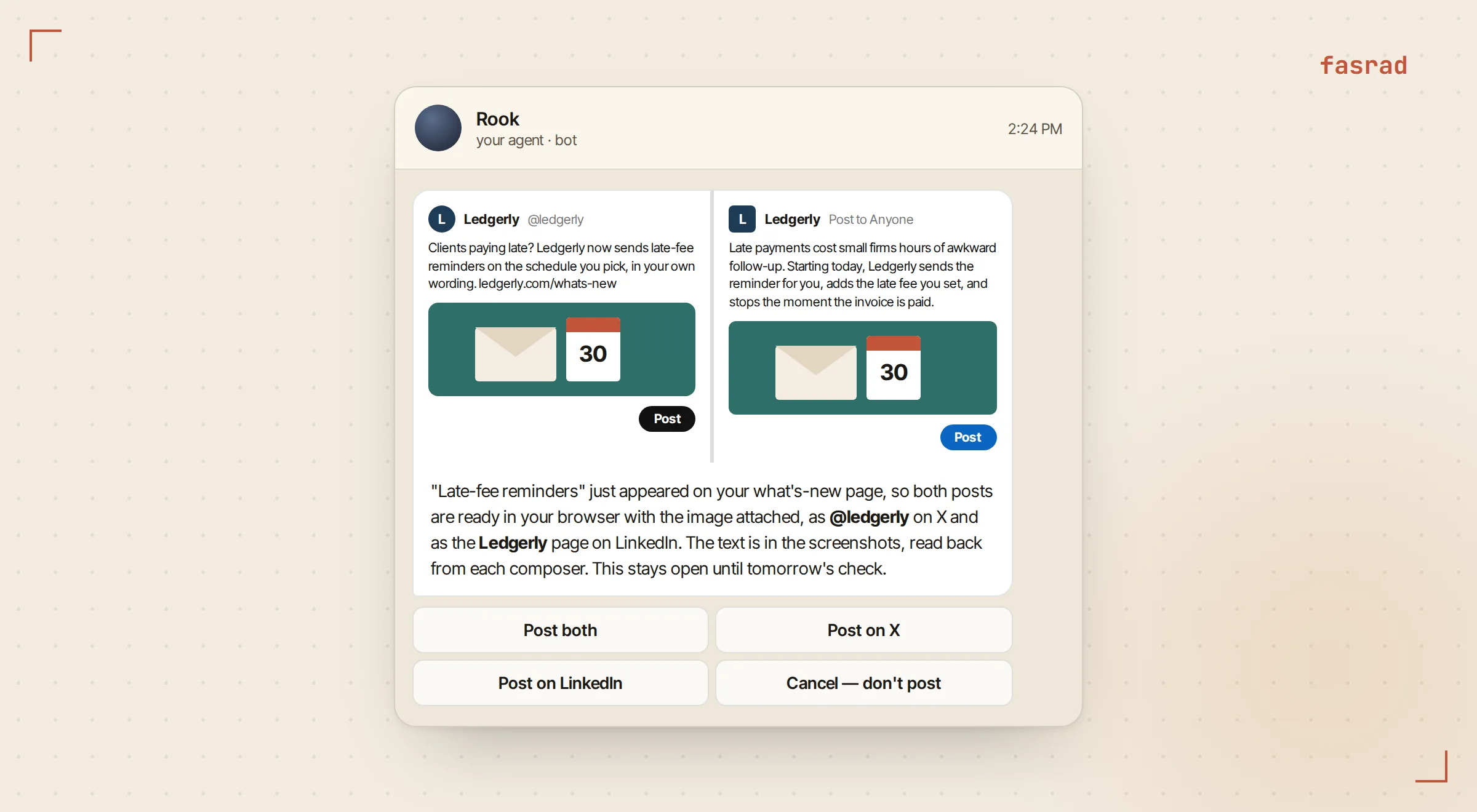
The tap works from a phone with the laptop shut. The system carries it out as soon as the browser reconnects, in the paused tab if it's still open. If the tab is gone, the worker prepares the post again and clicks only when every field reads back exactly as we approved it. The click is marked spent before it's sent, so a dropped connection can't produce a second post. Then a short receipt arrives with a link to each live post.
Frequently asked questions
Do I have to give Fasrad my X or LinkedIn password?
No. The agent posts from your own browser through the Scanner extension, using the sessions you're already logged into. Your passwords never leave your browser.
Will it publish anything without asking me?
No. It prepares the post, uploads the image and stops at the publish button. A message with screenshots and Yes buttons waits for your tap, and nothing goes out until then.
What happens if my laptop is closed when the changelog changes?
The run waits and shows as Waiting for your browser on the Work page. It starts once your browser has been connected for a minute, and missed days collapse into a single run.
Can it post as a company page instead of my personal profile?
Yes. Name the account in the setup sentence, such as our company account on X and our page on LinkedIn, and the agent switches to it before writing the post.
How often does it check the page?
Daily or weekly, at a fixed time. A model compares each check with the last snapshot and acts only on material changes such as a new release or feature.
Can I change the tone or rules after setup?
Yes. Tell the agent in chat, for example no hashtags on LinkedIn, and the correction is saved onto the watch. Later corrections take priority over the original wording.
Which sites can it post to?
Any site you're logged into in your browser. X and LinkedIn are the common pair, and the same setup sentence works for others by naming them.