One photo of a candle on a kitchen table. Three places to sell it, and every one of them wants something different.
How to turn one photo into ten product images with an AI agent
Upload the shot once. Studio white, a wooden shelf, a dark backdrop, three aspect ratios and a seasonal set, all from the same jar on the same kitchen table.
Fasrad · September 21, 2026 · 4 min read
Deshawn pours candles in Nashville and sells them in three places. His web shop wants atmosphere, the marketplace listing has a white-background rule, and Instagram wants neither. A Fasrad agent edits the shot he already took rather than inventing a new product, so the jar stays the jar. Every version is saved as its own file and the original never moves.
Start from the photo you already took
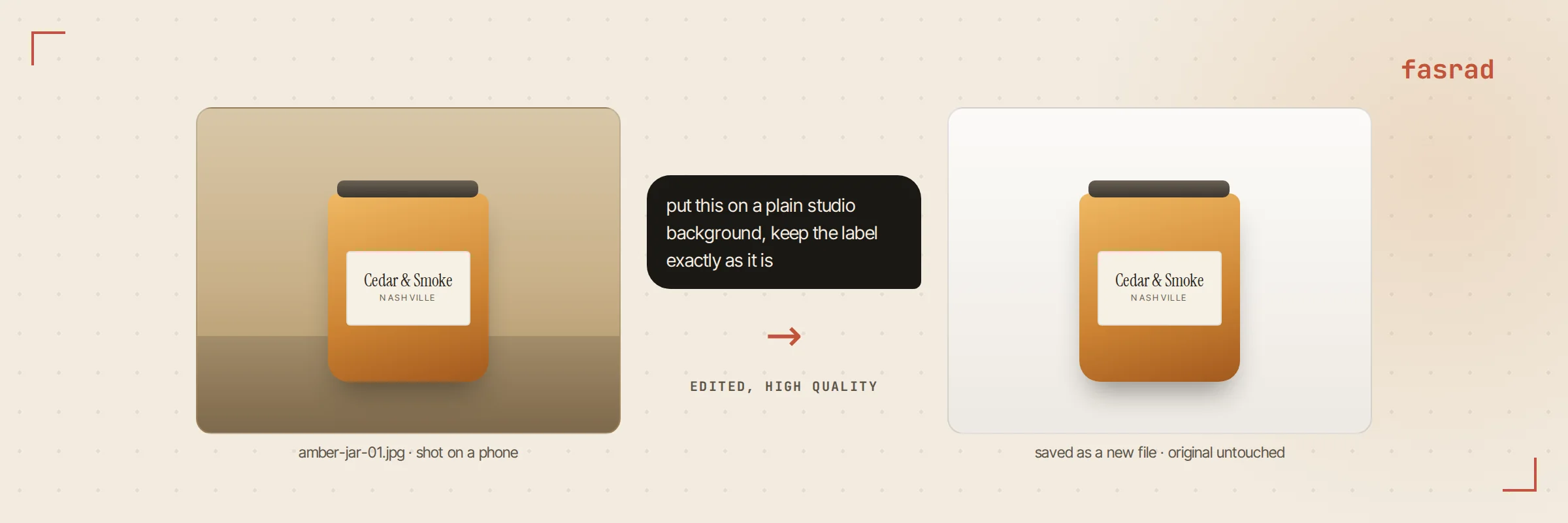
He uploads the shot and writes what he wants: "put this on a plain studio background, keep the label exactly as it is".
The important half of that sentence is the second one. The edit tool works from the file itself, so the jar, the wax color and the printed label all carry over. The instruction pins down what must not drift.
Stating what stays is worth more than describing what changes. Keep the label text exactly. Keep the lid. Keep the shadow on the left. A vague prompt gives the model room to redesign a product that already exists, and precision is what keeps the output usable instead of merely pretty.
Pick a direction instead of writing a prompt
Asking for variants gets you options rather than a lecture. The agent offers two or three directions, each as a button: studio white, warm wooden shelf, dark moody backdrop. Tap one and it runs that edit. No prompt rewriting and no copy-paste.
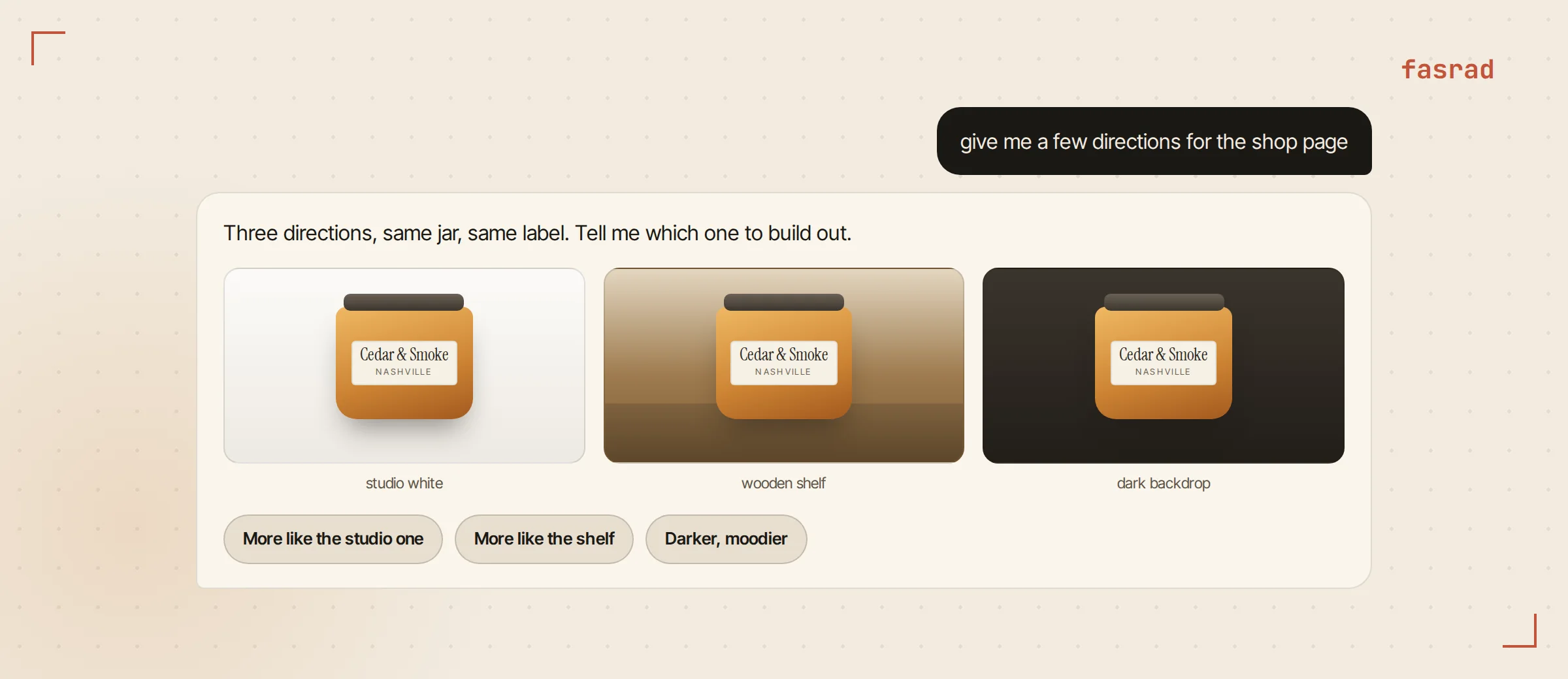
Deshawn told his agent once to always do this, and it stuck as a standing instruction. Give options with buttons, every time, rather than waiting to be asked.
2 edits run per round.
In practice that means a small batch arrives, he picks one, and the next batch builds on what he picked. It's a faster loop than writing a longer prompt and hoping. He has never once described the candle to the agent in words, because the agent is looking at it.
The same jar in three shapes
A square works for the marketplace grid. A wide one fits the shop banner, and tall is what social wants. 3 shapes, 1 source file. The edit takes an output shape, so the same source gives you all three without any cropping by hand.
Ask for the shape by naming where it's going and the agent picks the matching output. Wide for the banner, tall for stories, square for the grid. Each one is a separate edit from the same source photo. The tall version gets composed for tall rather than cut down from a square that was never meant to be one.
Text and labels survive better at the higher quality setting, and that's the one to ask for when the shot is label-heavy. It costs a little more time per image. It's also the difference between a readable product name and a smudge that looks like one. On a foil label Deshawn asks for high quality and gets the product name back sharp enough to read at full size.
Seasonal versions without a reshoot
Product photos go stale on a seasonal calendar, and reshooting for each one is where small sellers give up. In October the same jar needs a fall version. "Same product, same label, add dried leaves and a linen runner, keep the lighting warm" gets it back dressed for the season. The winter set is one more sentence in December. 4 seasons, 4 sentences, 0 reshoots.
Each of those starts from the original photo again rather than from the last edit. That matters after a few rounds, because edits of edits drift. A label goes soft. A color creeps warm. Going back to the source every time keeps version ten as sharp as version two.
Nothing about the product changed across those four, and that's the whole point. A content agent keeps a season of posts consistent this way, and a VA for ecommerce sellers does the same job across a catalog rather than one item.
Your originals never move
Every edit is written as a new file. The photo Deshawn uploaded keeps its name and its pixels, and the versions sit next to it in his files with the date they were made and a note saying an edit produced them. Delete a bad one and the source is still there.
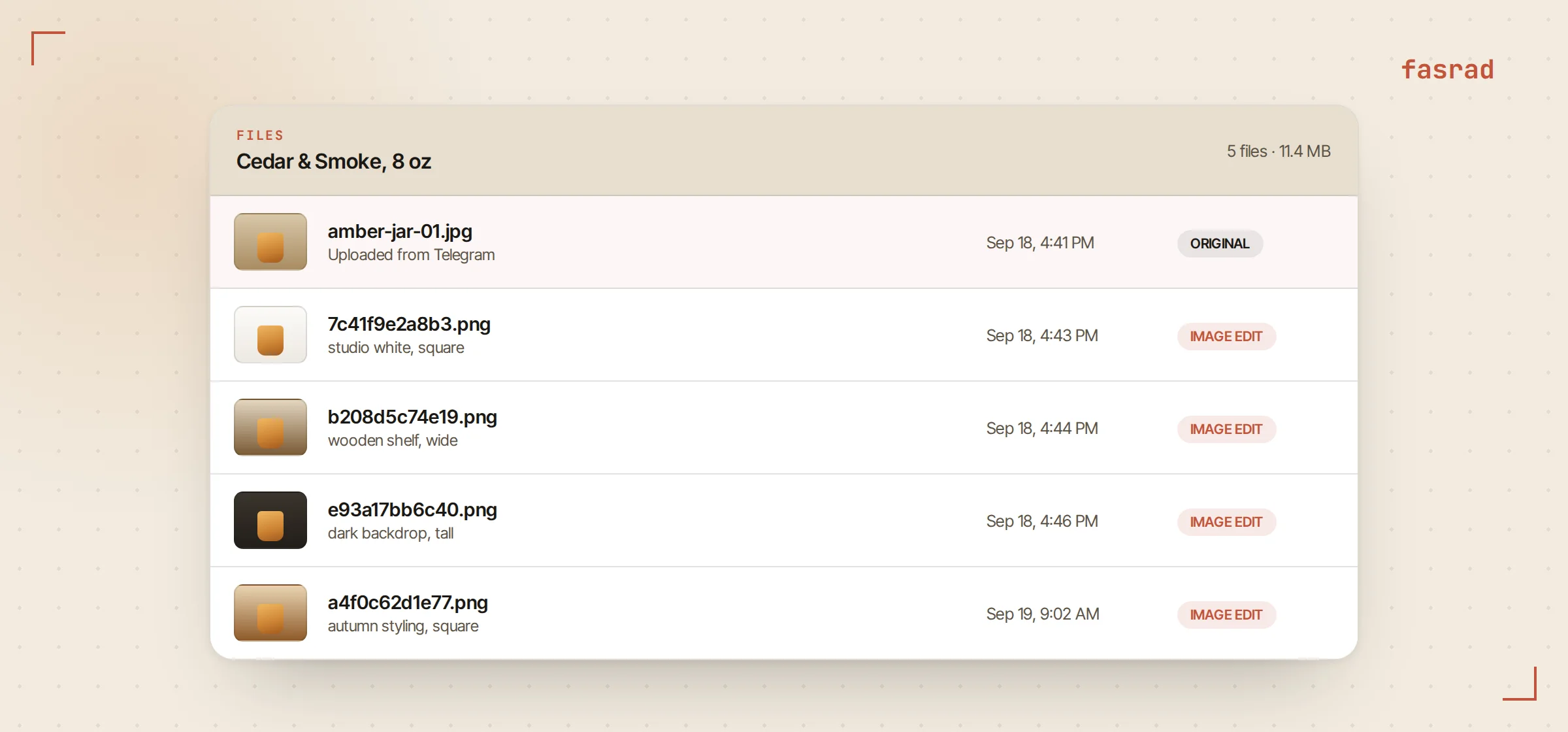
Because they're ordinary files, the rest of the agent can use them. Attach a version to a mail, drop one into a report, or point at it later by name.
A VA for content creators treats that folder as the asset library it already is.
Deshawn keeps the naming simple and lets the dates do the sorting. When a marketplace rejected a listing image for having a shadow, he opened the file from the week it was made, asked for the shadow gone, and resubmitted 90 seconds later. The rejected version is still in the folder, which turned out to matter when a second marketplace wanted exactly that shot.
From your phone, in Telegram
The whole loop runs in a chat app. He shoots a jar on the bench, sends the photo to his agent on Telegram, and the edited versions come back in the same thread as photos rather than links. The direction buttons become an inline keyboard there.
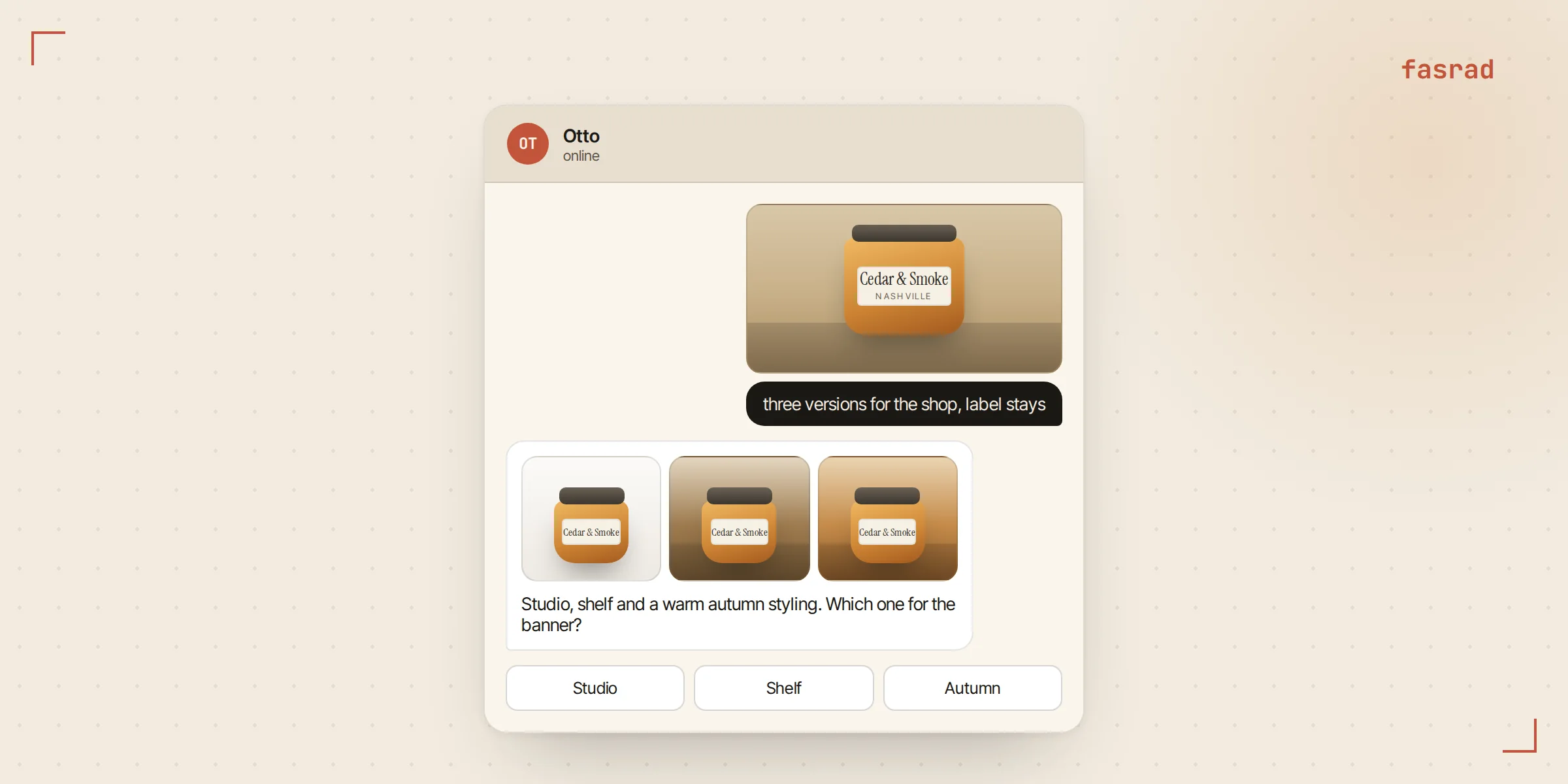
That's the version he uses most, because the work happens on the phone the photo was taken on. A VA for small business living in Telegram is the difference between a listing updated the same day and one updated whenever the laptop next opens.
Frequently asked questions
Does it redraw my product or edit my photo?
It edits your photo. The file you uploaded goes to the model as the source, so the product, the label and the materials carry over. Say explicitly what must stay unchanged and that is what holds.
How many versions can I get?
As many as you want, in small batches. Two edits run per round, so a few arrive, you pick a direction, and the next batch builds on your choice rather than on a fresh guess.
What image shapes are available?
Square, wide and tall. Pick the one that matches where the image is going, and the source photo is used for all three, so nothing has to be cropped by hand afterwards.
Will the text on my label survive?
Usually, and better at the high quality setting. For label-heavy shots ask for high quality and name the exact wording that must stay, which gives the edit something to hold onto.
Does editing overwrite my original photo?
Never. Each edit is saved as a new file with its own entry in your files, marked as generated by an edit. The upload keeps its name and stays exactly as it was.
Can I do this from my phone?
Yes. Send the photo to your agent on Telegram and the versions come back in the same thread as images. Variant choices appear as an inline keyboard.
Can the agent use the results elsewhere?
Yes, they are ordinary files. Attach one to an email, embed it in a report, or refer back to it in a later conversation.