Renee didn't want a clever briefing. She wanted four things and nothing else, and she got there one sentence at a time over four evenings.
Start your day with an AI morning briefing
A Minneapolis parent told her agent, one sentence at a time, what 6:45 AM should say. Weather with no commentary, both calendars, the homework still open, and one photo from the family album.
Fasrad · September 17, 2026 · 5 min read
She's a parent in Minneapolis with a 4th grader and a 7th grader. Every morning at 6:45 her phone shows the weather, both kids' school events alongside the family calendar, the homework that's still open, and one photo from the family album. A Fasrad agent assembles it from the sentences she wrote, and keeps each sentence until she says otherwise.
There's no news feed in it.
The weather, with nothing added
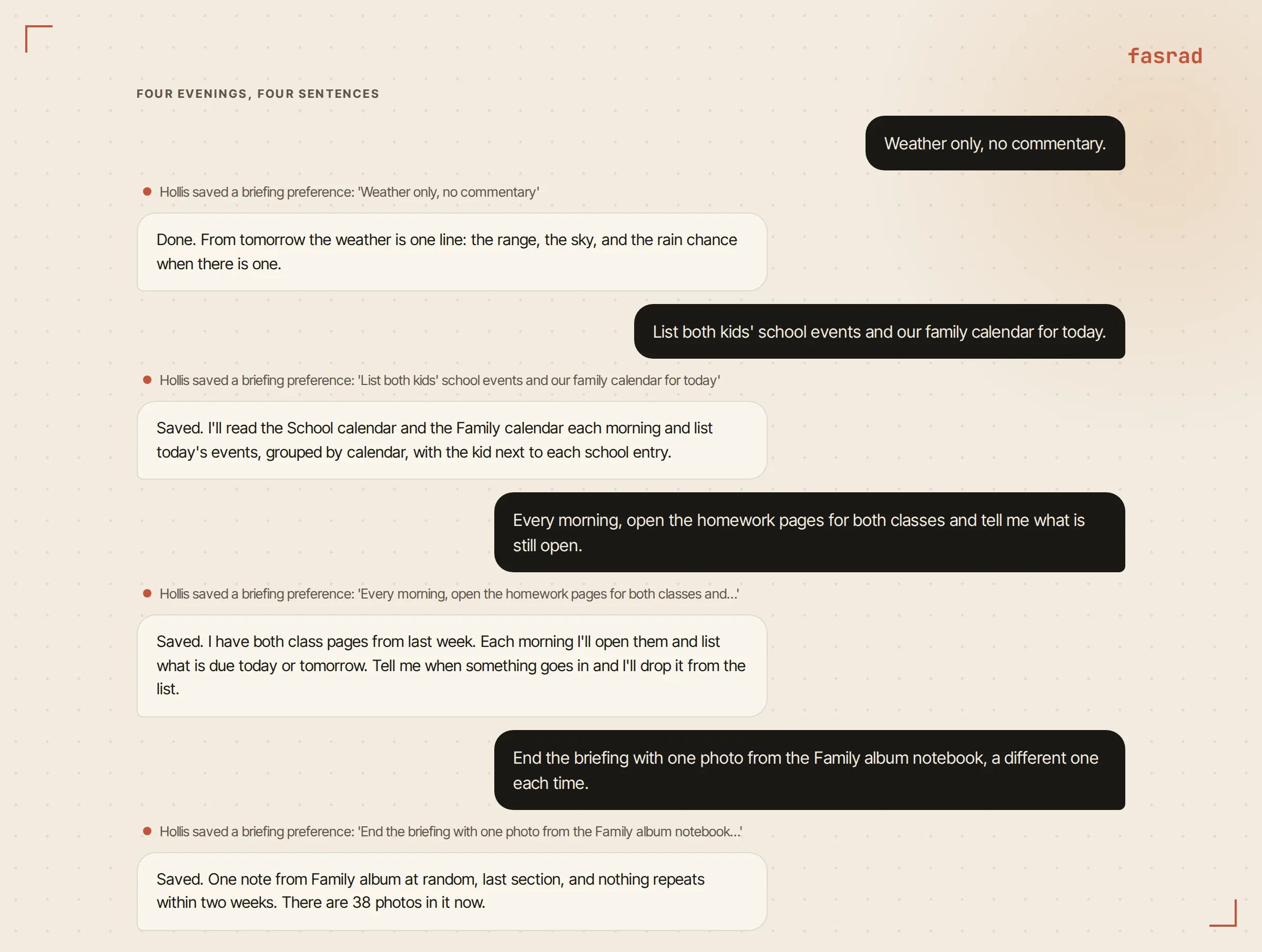
Out of the box the weather section changes its angle daily. Wind one morning. Daylight hours the next, then a comparison with yesterday. Renee wanted none of it: "Weather only, no commentary."
Saved as a briefing preference, and the box is now one line: the range, the sky, and a chance of rain when there is one.
Location comes from her phone, so the forecast follows her on a trip. She could pin it instead with "Always use Minneapolis for the briefing weather" and the box would stay home while she travels. That's the shape of a personal assistant agent. Its configuration lives in the conversation rather than in a settings form.
Two calendars in one section
The agent reads Google Calendar, and connecting one takes a single step. Share the calendar with the agent's own address, the one it hands you when you ask, and it shows up by name in the agent's list.
Renee shares two. One is the family calendar. The other is a School calendar she filled from the .ics file the district publishes: she uploaded the file in chat, the agent showed her a preview, she said go, and the events landed. Uploading next semester's file updates those events rather than duplicating them. Until she uploads it the briefing is reading from the old one.
Then the sentence: "List both kids' school events and our family calendar for today." The briefing checks each calendar by name and writes the section grouped by calendar, with each event's time and, for school entries, which kid it belongs to. Its calendar window covers today and tomorrow, so "for today" trims it. On a day with nothing on either calendar the section simply isn't there. No "your day is open" filler.
Leave-by times arrive on their own schedule. A timed event with a location gets a short logistics note about two hours before it starts, calculated from wherever Renee actually is by then. A 6:45 briefing has no business guessing at traffic for a 3:40 dentist appointment. The AI agent for Google Calendar page covers the rest.
Homework that hasn't been handed in
Both teachers post assignments on class pages that open without a login. Renee's sentence: "Every morning, open the homework pages for both classes and tell me what is still open."
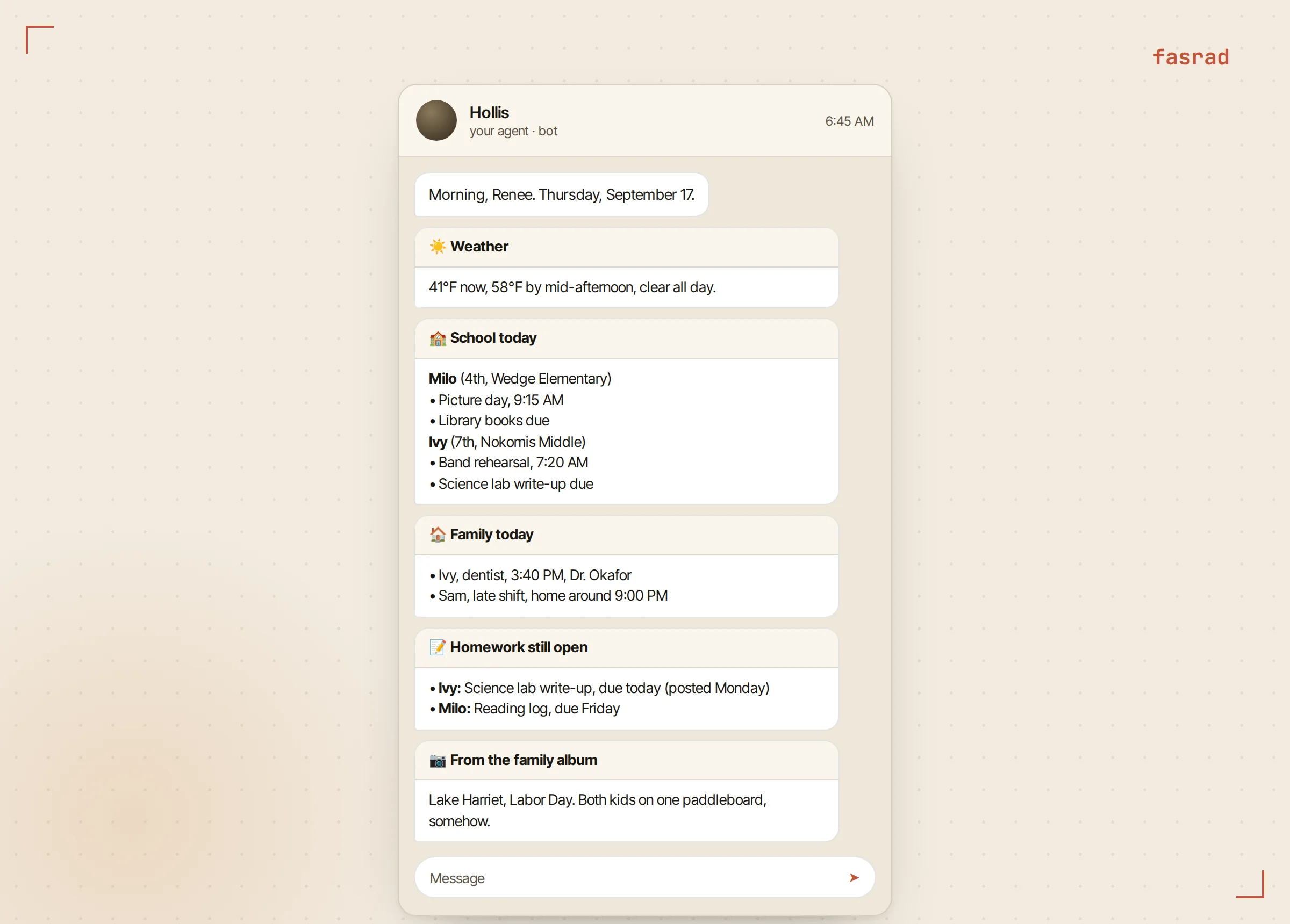
The briefing run has a real browser available. So at 6:45 the agent opens each page and reads the assignments off it, with their due dates, then lists what's due today or tomorrow. When something goes in she says so, with "Milo's reading log is done." The agent remembers, and the next morning's list is shorter. For a page behind a password the same browser can sign in. Give the agent the login once and the session carries over between mornings.
She added a second sentence for the class that posts at odd hours: "Watch Ivy's science page and tell me when a new assignment is posted."
That one creates a page monitor rather than a briefing section. The agent takes a snapshot, checks the page once a day, and messages her only when something material changed, such as a new assignment rather than a date ticking over in the footer. The message arrives whenever the daily check runs, not inside the briefing. The Scanner extension has a Monitor this page button for the same job, and monitors only watch pages that open without a login.
One photo from the family album
The family album is a notebook in Notes called Family album. Renee drops photos into it from her phone or her laptop, one note per photo, each with a one-line caption. Her sentence: "End the briefing with one photo from the Family album notebook, a different one each time."
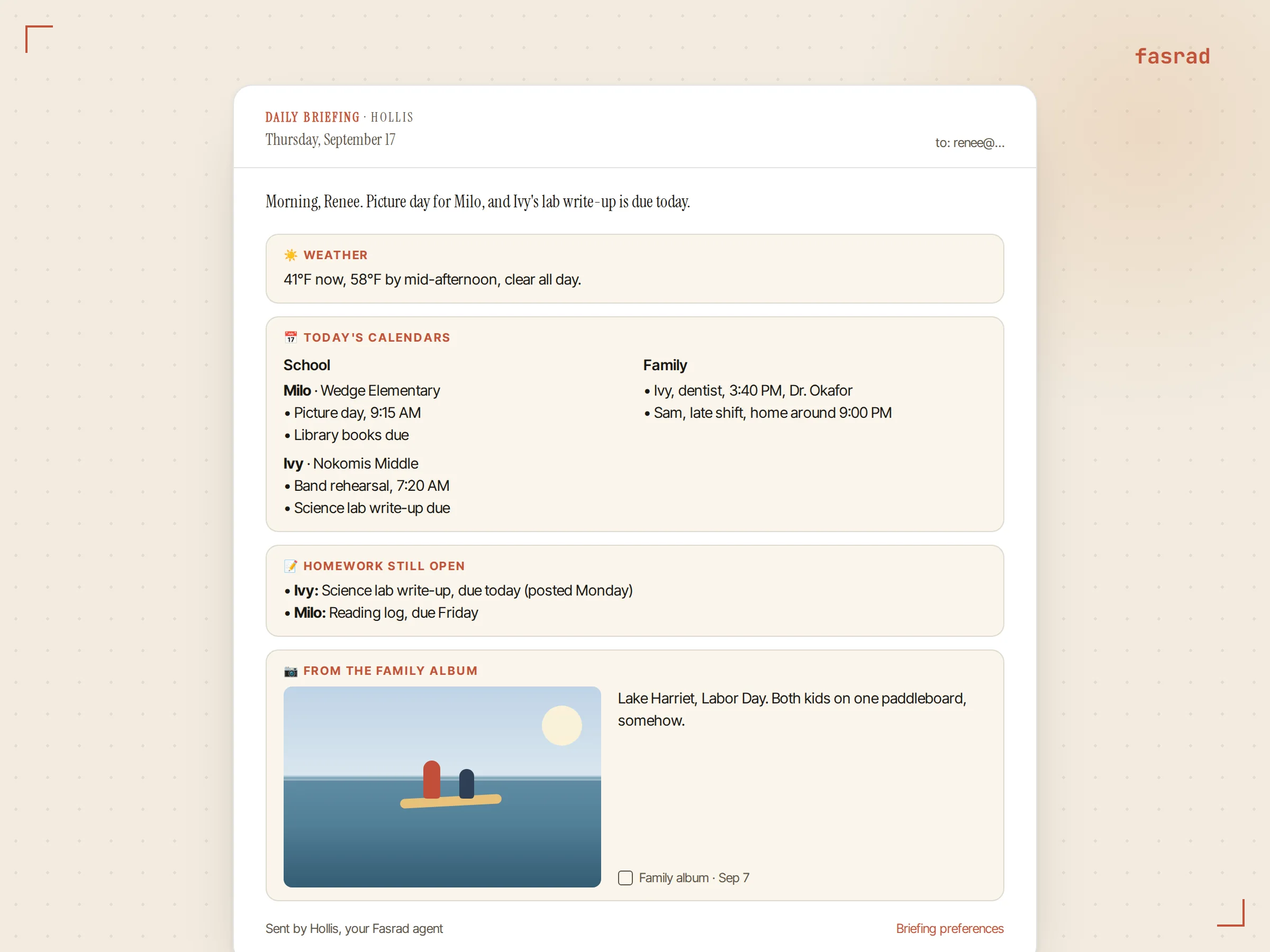
Each morning the briefing picks a note from that notebook at random, skipping anything shown in the last 14 days, and that note becomes the closing section. The email version carries the photo itself, scaled to fit. The card in the web app shows the note the way it looks in Notes, with a link back to it. On Telegram the card carries the caption line, and the photo is in the same briefing in the web app, where every delivered briefing is kept.
Getting it to her phone at 6:45
The default is 9:00 by email, or email plus Telegram once the agent has a bot. Renee reads hers while the kids eat, so: "Send it to Telegram at 6:45, not email."
One sentence, two settings. The channel switches to Telegram only and the time moves to 6:45 in her time zone. It arrives within a few minutes of that.
Where she is matters too. If the Fasrad tab is already open on her laptop at 6:45, the briefing lands in that chat instead of buzzing her phone. Telegram gets it when she's away from the desk, as a series of cards. "Send today's briefing again" resends it on the spot and "Pause the briefing" stops it until she asks for it back.
Her partner has his own account and his own agent. He shared the same two calendars with it and wrote his own sentences, so his 6:45 version lists the same events with a fuller weather line and no album photo.
Changing any of it in one sentence
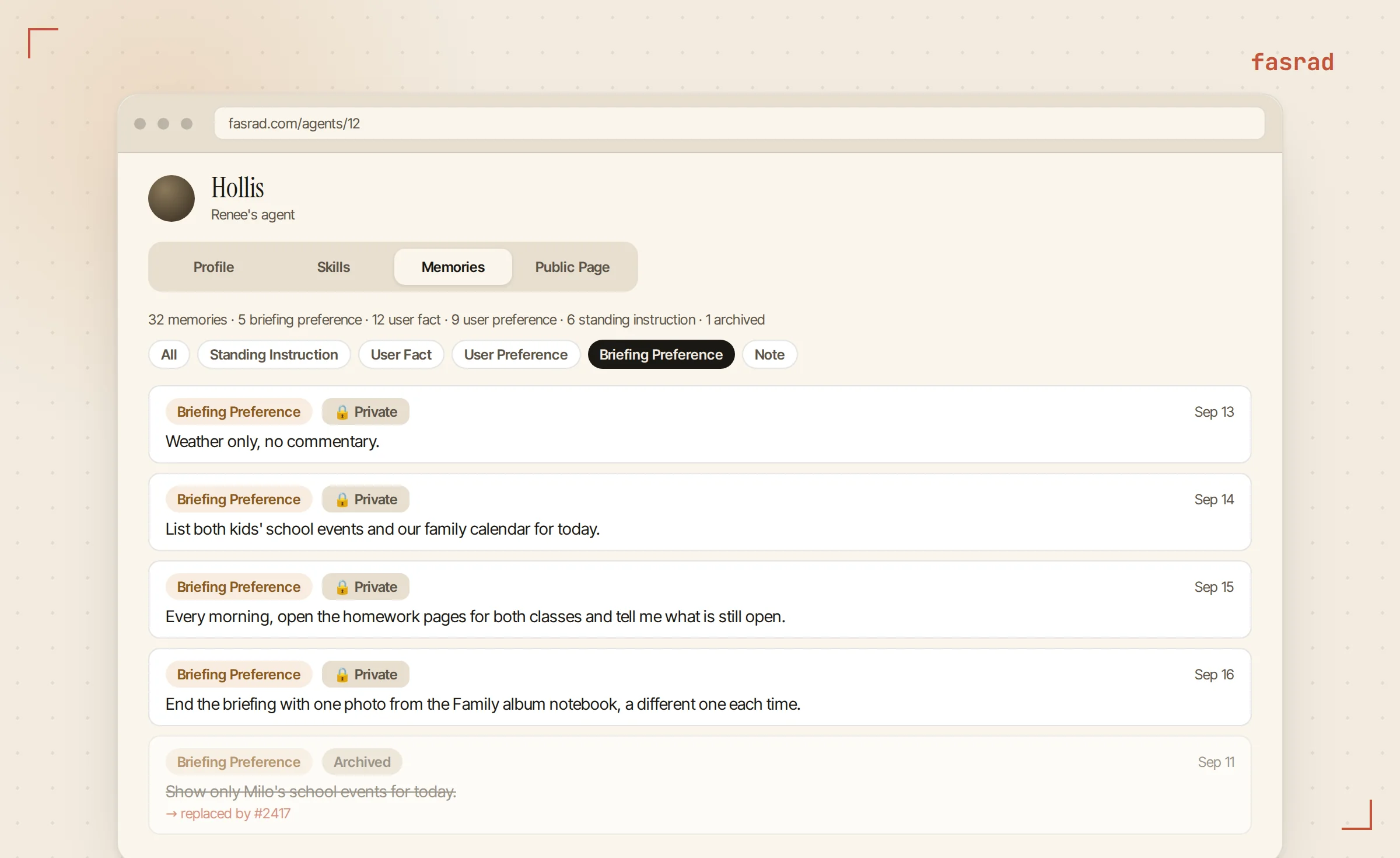
Every sentence above is stored as a briefing preference, and they stack. A new sentence on the same topic replaces the old one and leaves the others alone, so "Show tomorrow's school events too" widens the calendar section and touches neither the weather nor the photo.
"What are my briefing preferences?" returns the list: whether it's on, the time, the weather location, the channel, and every content sentence. The same list sits on the agent's page under Memories, filtered to Briefing Preference, where each entry can be edited or deleted by hand. "Skip the weather" drops a section. "No photo at the end" retires that one. An AI virtual assistant you configure by talking to it is easier to keep current than a settings page, and a school year changes often enough to need that.
Frequently asked questions
Do I need Google Calendar for the calendar section?
Yes. The agent reads Google Calendar. You share a calendar with the agent's own address, which it gives you when you ask, and the calendar appears by name in its list. A school calendar published as an .ics file can be uploaded in chat and imported, with a preview first and no duplicates when you re-import an updated file.
Can it read a homework portal that needs a login?
The briefing's own check uses a real browser with a persistent session, so you can give the agent the login once and it signs in on later mornings. Page monitors are different: they watch only pages that open without a login and will refuse a login-gated URL.
Does the homework check know what was turned in?
It reads what the class page lists as posted and due. Turned-in status lives inside the school's system, so you tell the agent when something went in, in one line, and it drops that item from the next morning's list.
Does the family photo show up on Telegram?
The Telegram card carries the note's caption line. The photo itself is in the email version, scaled to fit, and in the briefing card in the web app, where every delivered briefing is kept.
What happens on a day with nothing on the calendar?
The calendar section is left out. The briefing never sends a placeholder such as 'nothing scheduled today'; an empty calendar means the section is absent, and the other sections arrive as usual.
Can I get the briefing by email and Telegram at the same time?
Yes. Say 'send it to both' and the delivery channel becomes email plus Telegram. Email only, Telegram only, or both are the three options, and the time applies to all of them.
Can my partner get his own version?
Yes. Each Fasrad account has its own agent with its own preferences. Share the same family and school calendars with both agents and each of you writes your own sentences, so the two briefings list the same events in different shapes.